Finding Needles in Haystacks: A Hands-On Look at AWS Macie
28 October 2024 · updated 1 December 2025
If you’ve ever inherited an AWS account with a dozen S3 buckets, no data inventory, and a vague feeling that something sensitive is probably sitting in there unencrypted, this post is for you. That’s the exact itch that got me building a small hands-on demo for AWS Macie. Here’s what I learned along the way, including where Macie earns its keep and where you’ll run into its edges.
The problem Macie is solving
Data sprawl in S3 creeps up on you. Someone spins up a bucket for a proof of concept, drops a CSV export in there “just for now,” and six months later nobody remembers what’s inside or who’s allowed to see it. Auditing that manually at scale is a losing game. You need something that can actually read the objects and tell you what it found.
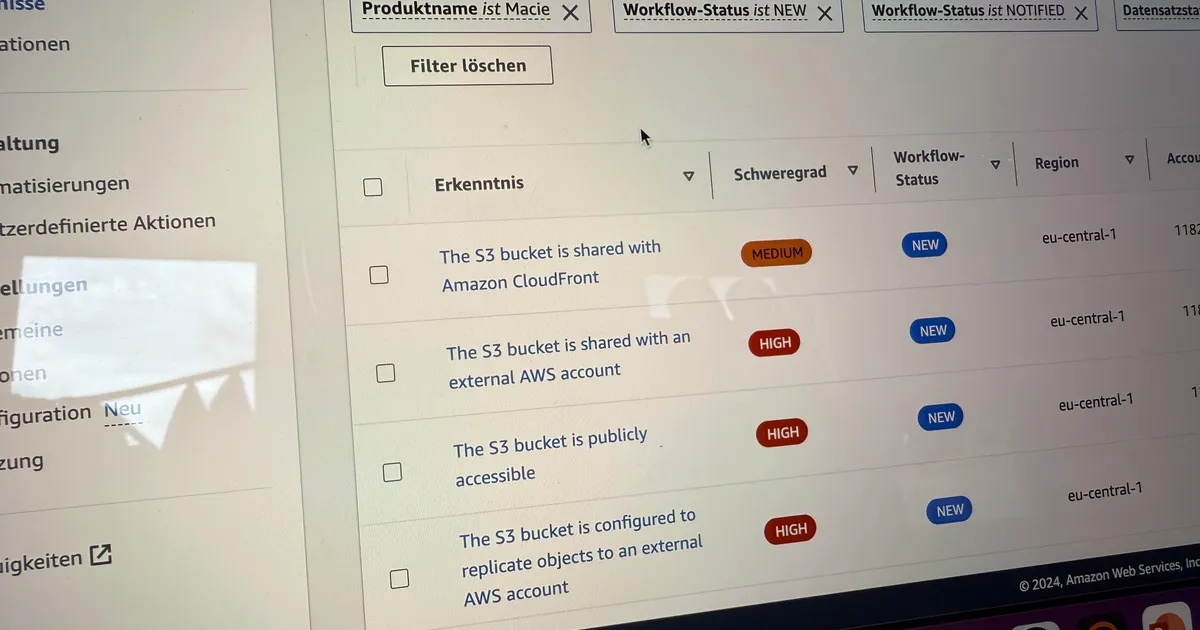
That’s the job Macie does. It’s a managed data security service that combines machine learning and pattern matching to scan S3 objects, classify what’s sensitive (PII, credentials, financial data, intellectual property), and surface two kinds of findings: data findings (something sensitive was found) and policy findings (the bucket itself is misconfigured, e.g. public access or no encryption).
Why I built a demo instead of just reading the docs
I learn infrastructure services by wiring them up and breaking them, not by staring at console screenshots in someone else’s blog post. So the aws-macie-demo repo is a small, self-contained Terraform stack that:
- Enables Macie on the account
- Provisions a “sensitive” S3 bucket seeded with sample data, plus a dedicated results bucket
- Sets up a recurring classification job and a custom data identifier
- Wires findings through EventBridge, Lambda, and SNS so you get an actual email when something is found, instead of babysitting the console
It’s all reproducible with terraform apply, which matters if you want to tear it down and rebuild it a few times while you’re poking around, rather than clicking through the console and forgetting what you changed an hour later.
Walking through the architecture
The demo has the pieces you’d expect from a real Macie rollout, just scaled down to something you can spin up in an afternoon.
Enabling Macie itself is almost anticlimactic. It’s a single resource:
resource "aws_macie2_account" "macie" {
  status                       = "ENABLED"
  finding_publishing_frequency = "FIFTEEN_MINUTES"
}
The more interesting part is the classification job, which tells Macie what to scan and how often:
resource "aws_macie2_classification_job" "demo-job" {
  job_type = "SCHEDULED"
  name     = "macie-demo-recurring-job-${random_id.demo_unique-id.hex}"

  s3_job_definition {
    bucket_definitions {
      account_id = data.aws_caller_identity.current.account_id
      buckets    = [aws_s3_bucket.macie_demo-bucket-sensitive.id]
    }
  }

  schedule_frequency {
    daily_schedule = true
  }
}
Then there’s a custom data identifier, which is where Macie stops being a black box and starts being your tool. You write a regex for whatever organization-specific pattern you care about — internal employee IDs, a proprietary document header, a project code name:
resource "aws_macie2_custom_data_identifier" "macie_custom_data_identifier" {
  name        = "internal-project-code"
  regex       = "PRJ-[0-9]{6}"
  description = "Flags internal project reference codes in documents"
}
From there, findings flow into an EventBridge rule, which triggers a Lambda function, which publishes a formatted notification to an SNS topic that emails a subscriber. It’s a small pipeline, but it’s the same shape you’d use in production, minus the extra accounts, delegated admin setup, and cross-account KMS policies a real org-wide rollout would need.
What impressed me
The signal-to-noise ratio on the managed identifiers was better than I expected. I seeded the sensitive bucket with sample PII, financial-looking data, and credential-shaped strings, and Macie bucketed all of it correctly without any tuning from me. For the common cases — credit card numbers, SSNs, AWS keys — the out-of-the-box managed data identifiers just work.
Custom data identifiers close the gap fast, too. Writing the regex-based identifier above took maybe five minutes and it immediately started catching organization-specific patterns that no managed identifier would ever know about. If your sensitive data isn’t a type of PII but a shape specific to your business — an internal case number, a proprietary key format — this is where Macie stops being generic.
And the EventBridge integration is what makes it operationally real rather than a dashboard nobody checks. Piping findings through EventBridge into Lambda and SNS (or, in a real setup, into Security Hub, Slack, or a ticketing system) is the difference between “Macie found something” and someone on the security team getting paged.
Where the limits show up
No tool review is complete without the rough edges, so here’s where Macie made me pause.
It’s S3-only. Macie inspects objects in Amazon S3 and has no visibility into RDS, DynamoDB, EBS snapshots, or anything outside that bucket boundary. If your sensitive data lives in a database, you need a different tool for that layer — Macie isn’t a data-discovery platform for your whole estate.
Cost scales with data volume, not with findings. Classification jobs are priced per gigabyte scanned, plus a smaller per-object fee for sensitive data discovery, so pointing a recurring job at a multi-terabyte bucket “just to be safe” gets expensive fast. Scope jobs to the buckets that actually warrant regular scanning instead of turning it loose on everything.
Findings aren’t automatically actioned. Macie tells you what it found and where — it doesn’t quarantine the object, revoke access, or redact anything on its own. You have to build that remediation layer yourself, which is exactly what the EventBridge → Lambda pipeline in this demo stands in for.
Regex-based custom identifiers can misfire. Proximity rules and keyword hints help, but a poorly scoped regex will either drown you in false positives or miss the pattern entirely. Expect to iterate on custom identifiers the same way you’d iterate on any detection rule.
And it’s a detective control, not a preventive one. Macie tells you sensitive data landed somewhere it shouldn’t have, after the fact — it doesn’t stop the upload. Pair it with preventive controls like bucket policies, SCPs, and access points rather than treating it as your only line of defense.
Who should actually use this
If you’re running a handful of S3 buckets with a rough idea of what’s in them, Macie’s managed identifiers alone will tell you something useful on the first scan. If you’re in a regulated space (healthcare, finance, anything brushing up against GDPR, HIPAA, or CCPA), the combination of automated discovery, Security Hub integration, and audit-friendly findings makes a real case for baking Macie into your standard account setup instead of treating it as an afterthought.
If your sensitive data doesn’t live in S3, or you need continuous real-time blocking instead of periodic discovery, Macie is the wrong tool for that specific job, though it can still be a solid piece of a broader data security posture.
Try it yourself
The full Terraform stack, including the EventBridge/Lambda/SNS findings pipeline, is in the aws-macie-demo repo. Clone it, drop in your own variables.tfvars, and terraform apply — you’ll have findings landing in your inbox within a day.
If you end up writing custom data identifiers for a real workload, let me know what patterns you’re matching against. That’s usually where the interesting edge cases live.
Update (December 2025)
A few things have changed since this post first went up in October 2024:
- December 2024 — Macie added preventative control monitoring, covering up to 10,000 S3 general purpose buckets per account. That nuances the “detective, not preventive” point above a bit: Macie can now continuously monitor your bucket security posture (public access, encryption, policies) instead of only surfacing findings after a scan runs. It’s still not blocking uploads in real time, so pairing it with bucket policies and SCPs still matters.
- March 2025 — The managed data identifier library grew to cover more region-specific PII, including national ID numbers, taxpayer IDs, and SUBE card numbers for Argentina, Chile, Colombia, and Mexico. Worth checking the current list if you assumed it was US/EU-only.
- July 2025 — Macie now supports VPC interface endpoints and endpoint policies across all its available regions, so you can keep API traffic inside your VPC instead of routing over the public internet. Handy if your account runs with restrictive egress policies.
Everything else — the S3-only scope, the per-bucket-and-per-GB pricing model, and the Terraform stack in the demo repo — still holds up.